
Changes
-
Improved the capture of the mouse cursor
Screenpresso is the only tool on the market that captures the mouse cursor well in all situations! Even if you have zoomed your mouse cursor using the Windows’ accessibility setting, if your mouse is over a high resolution or HDR screen (e.g. over a 4K screen), or if you have plugged a mix of different screens.
-
Updated the video toolbar’s look and feel
-
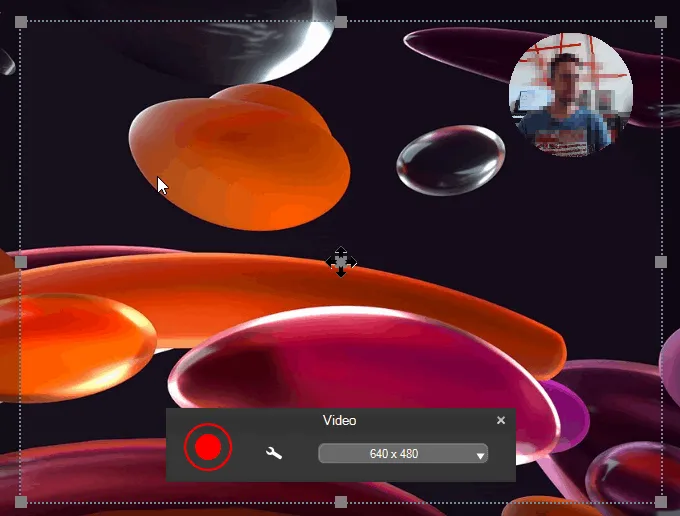
The webcam can now be displayed within an ellipse or a round shape
-
The webcam’s video resolution can now be changed (by default, Screenpresso uses the best quality)
-
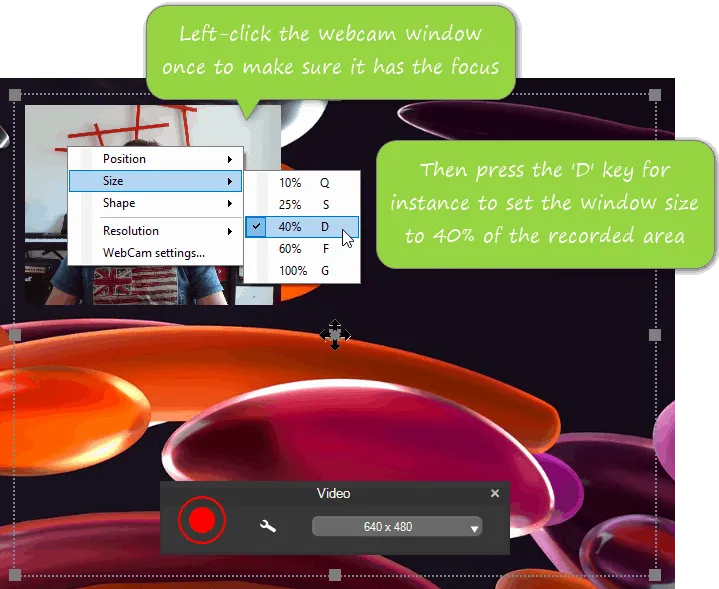
The location, size and shape of the webcam window can now be modified live via shortcuts
-
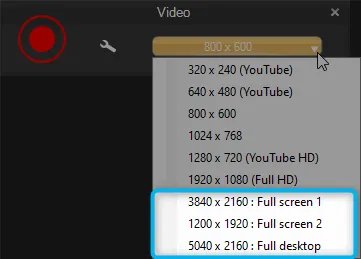
Added presets to quickly perform a full screen video capture
-
Improved support for high DPI images in the editor and in the workspace
When an image with a resolution is different than 96 DPI, Screenpresso automatically changes the zoom level of the editor. For the added items, it increases the font size and the thickness found in the templates.
On the workspace’s context menu, when right-clicking on an image, the DPI information is displayed when the selected image has a resolution different than 96 DPI.
-
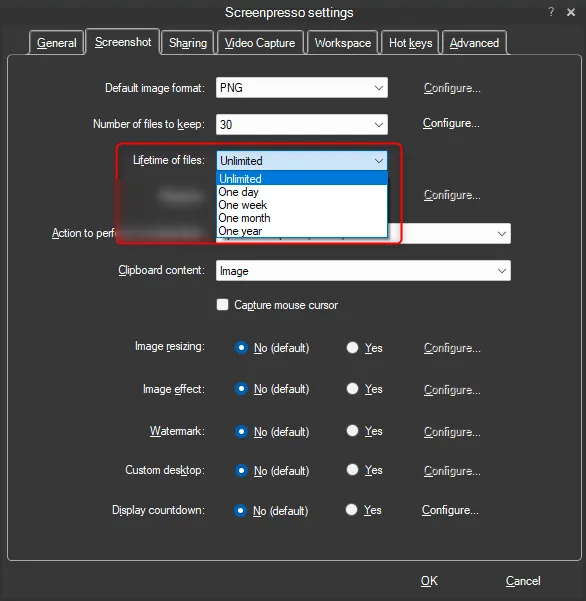
Added a “Lifetime of files” setting
This requests Screenpresso to automatically delete files that are older than a defined period. The default value is ‘Unlimited’.
-
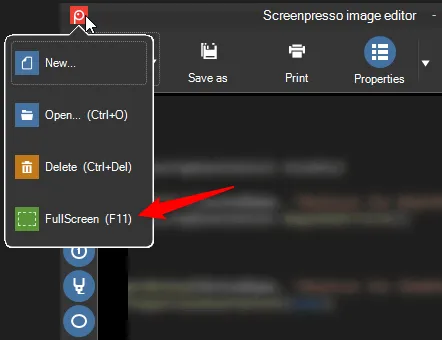
Added F11 shortcut key to the built-in image editor to show or hide all toolbars. It allows displaying the edited image as widely as possible.
-
The OCR is now based on the Windows’ built-in engine
You can still choose to use Tesseract OCR engine (the previously used tool) and compare the results to find the best one.
-
Added build-in sharing support for Linear
You can watch this tutorial to discover how to effectively report an issue using the new features of Screenpresso: https://youtu.be/bbOOyFJtI6k
Bug fixes
- Capture: fixed wrong display with some High DPI screens
- Capture: fixed wrong magnifier’s display when zoomed
- The workspace’s startup size now resets if the screen’s resolution has changed
- Removed the HTML encoded characters that could appear when using the Google Translate service (in the OCR window)