
How to update to the latest version of Screenpresso?
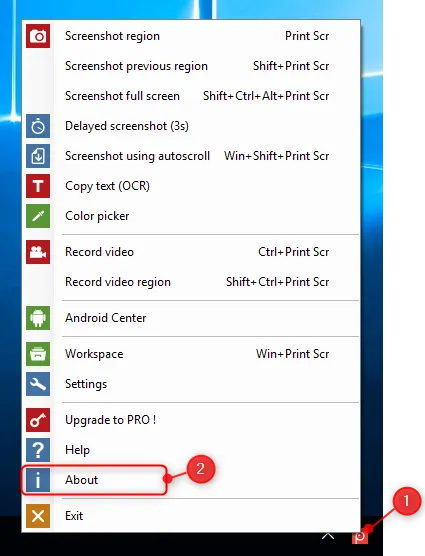
- Right-click on the Screenpresso system tray icon (1) and click on About us (2):
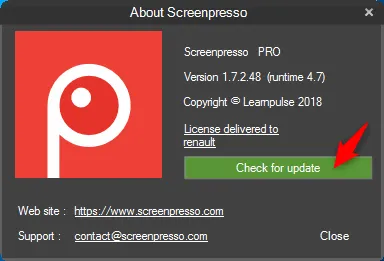
Click on the Check for update button:
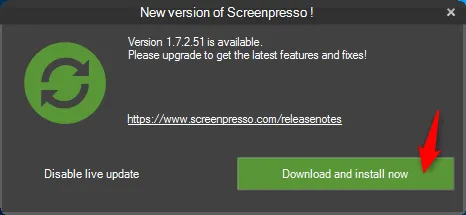
- Accept the update:
We use cookies to ensure you get the best experience on our website. For more information on how we use cookies, please see our cookie policy.
By clicking "Accept", you agree to our use of cookies.
Learn more.
Click on the Check for update button: