
How to install Screenpresso?
This guide is an extract of the complete
- When you run
Screenpresso.exefor the first time, it asks if you want to install or start without installation.
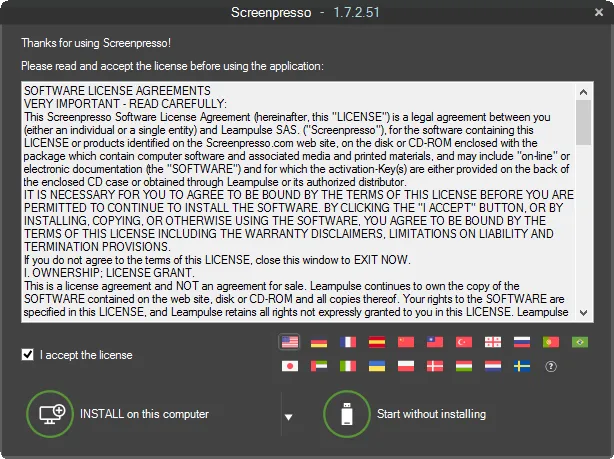
-
Screenpresso installs by default in the user profile (
%localappdata%\Learnpulse\Screenpresso) and doesn’t require administrator rights. -
If you want to install in
Program Files:- Run again Screenpresso: Right click Screenpresso.exe and select Run as administrator
- Click on the INSTALL on this computer button while holding the Control key or click on the sub-menu Install for all users:
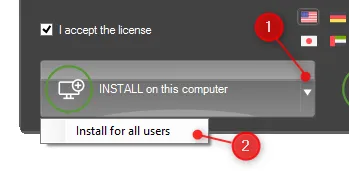
-
In both cases, your settings file will be stored in user profile (
%appdata%\Learnpulse\Screenpresso) directory.