
How to activate Screenpresso PRO?
This guide is an extract of the complete
Overview
Screenpresso FREE and PRO are provided in the same file.
To get Screenpresso PRO, you will need to
- To buy a PRO license, use our
online store . - If you have lost your license key, use this
guide to recover it.
Steps
-
Download the FREE version from our
download page . -
At startup, click on the install button.
-
If you have already installed Screenpresso, update to the latest version (About > Check for update,
more details… ). -
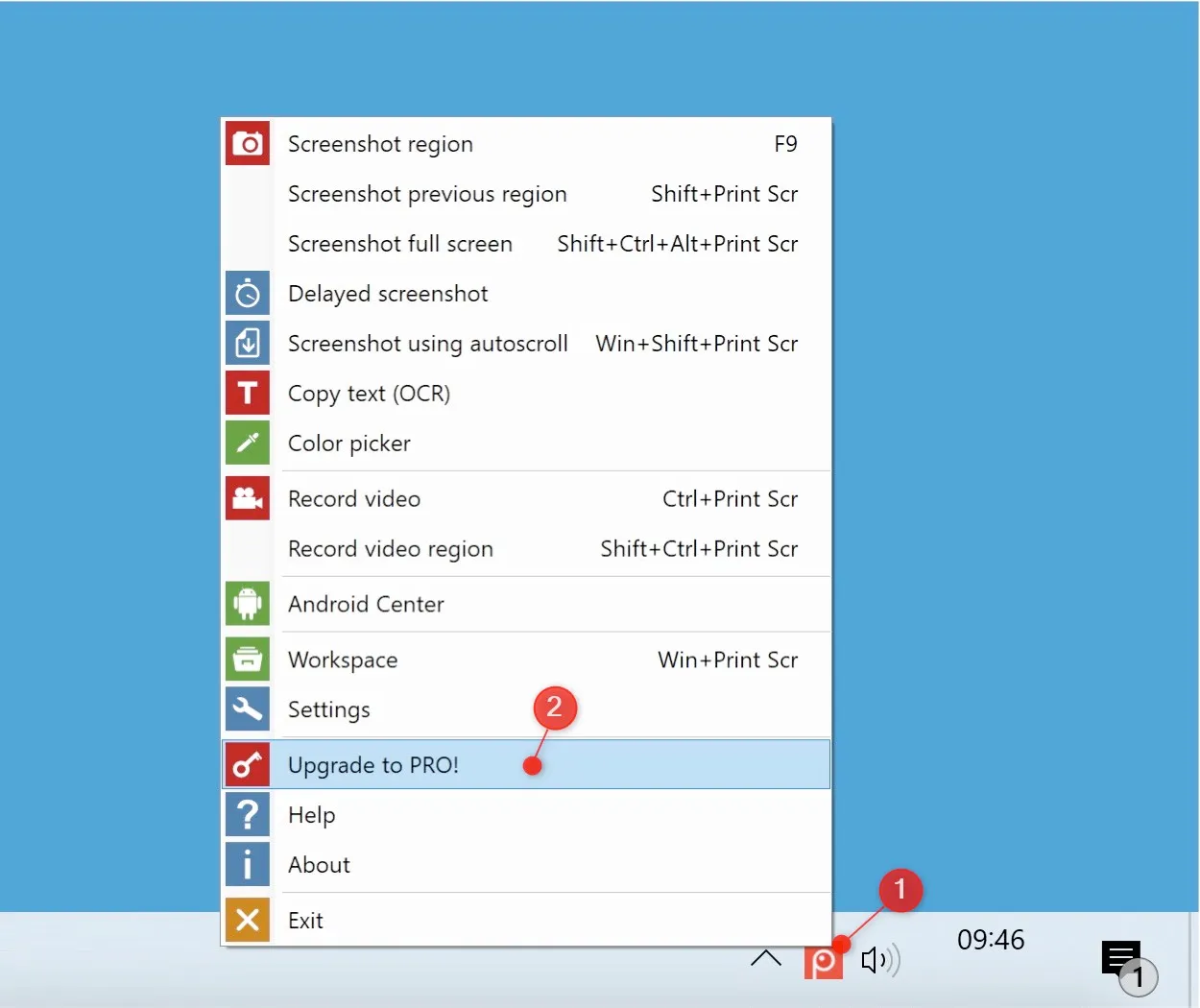
Right-click on the Screenpresso system tray icon (1) and click on Upgrade to Pro (2):
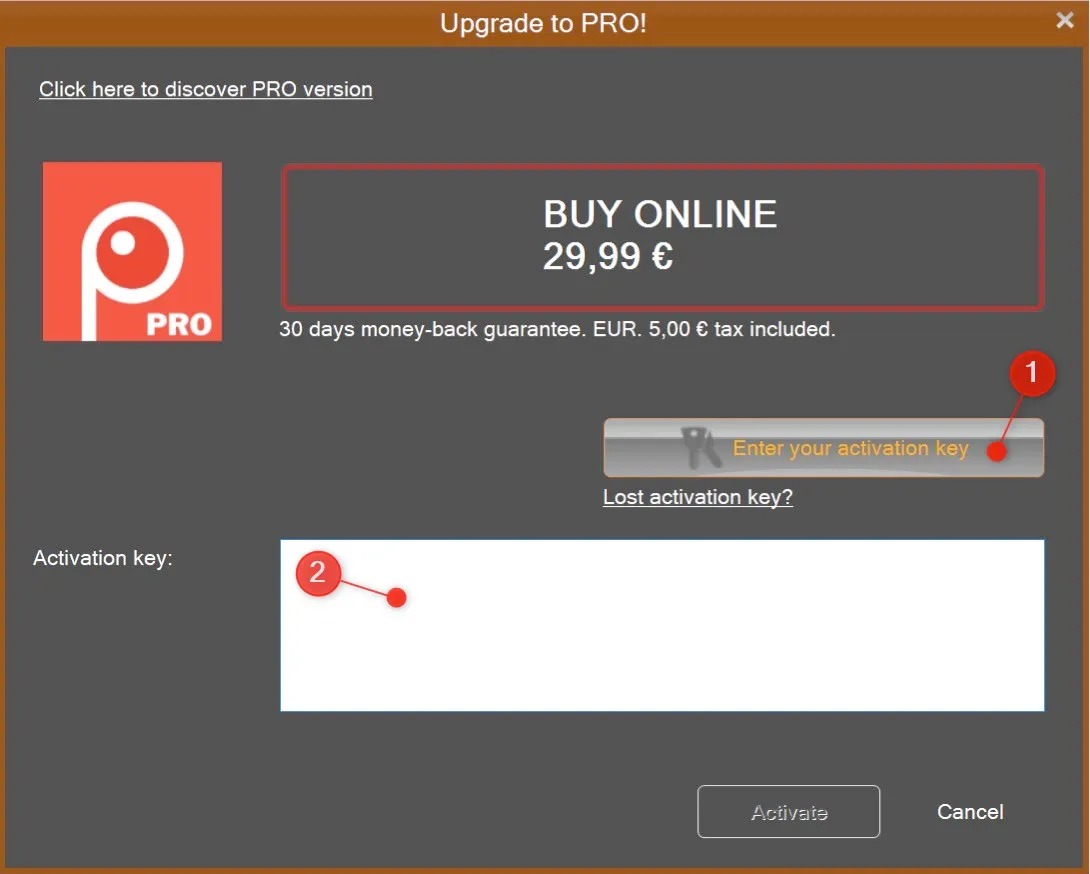
- Click on the button Enter activation key (1) and enter your activation key in (2)
- Use a copy-paste action to avoid errors then click on the activate button. Your key should look like:
[0]-[screenpressopro]-[1]-[1234455]-[12/18/2011]-[Rstyaoiyzonveozienvozienqsdovsodpdovpsodvjspovjspodvjspodjvspodjvspovjspdojg==]
Important note
- An activation key can be used up to 5 times. Once Screenpresso PRO is activated we recommend you to backup the settings that include the license. A restore can be done as many times as necessary on the same computer.