What are the .presso files?
- When you start editing a screenshot using Screenpresso’s internal editor, a
.pressofile with the same name is created in a sub-folder namedOriginals. - This
.pressofile is the vectorized image and contains the original screenshot and all graphical changes (callouts, …). - If you want to share the vectorized version, you should share the
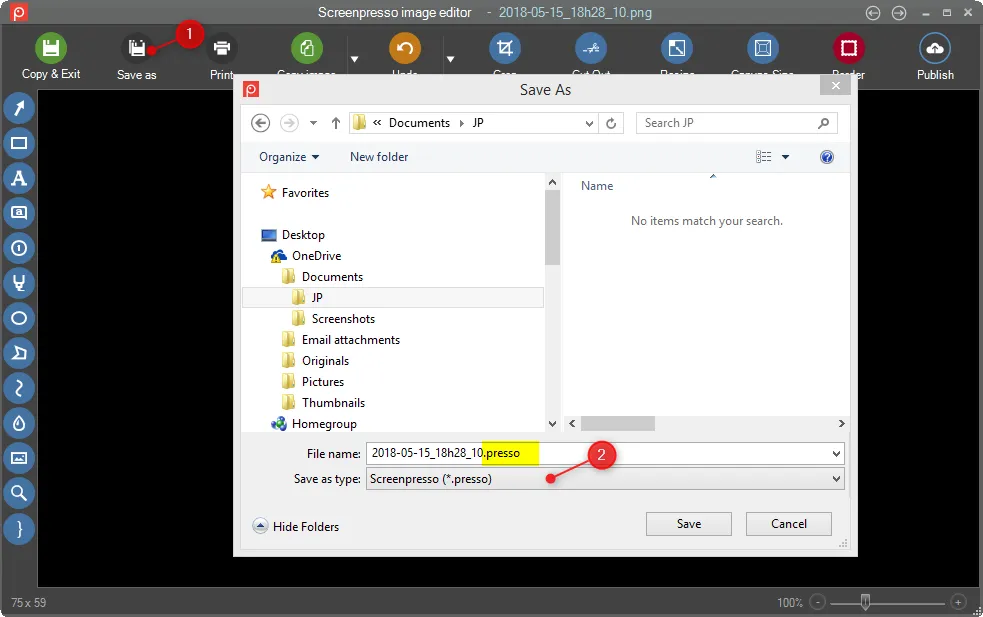
.pressofile:- In the editor, Save as using
.pressofile extension - Send the
.pressofile to your colleague. - Your colleague should drag & drop the file into the Screenpresso workspace.
- In the editor, Save as using